Scanning
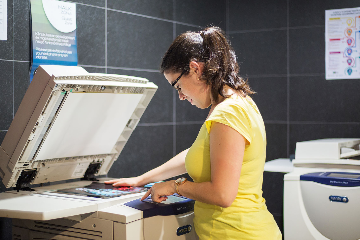
Scanning Services
The service is available free of charge on a self-service basis.
Xerox scanners
Scanning is available to our registered readers on the machines located throughout the building:
- The Knowledge Centre: on the 1st, 2nd, 3rd and 4th floors.
CZUR book and document scanners
Books, journals and other documents can be digitised quickly and in high quality using CZUR ET professional book and document scanners.
The book scanners are available to library users at the following library units:
- Knowledge Center: 2nd and 3rd floors
- Specialized Library of Music and Visual Arts
- Pekár Mihály Specialized Library of Medicine and Life Sciences
- Tóth József Specialized Library of Humanities and Natural Sciences
Using the Scanners
When scanning books, the software automatically corrects page curvature and processes the two facing pages as separate pages. It can also be used to scan individual sheets and documents.
The text of scanned documents can be recognised using OCR (Optical Character Recognition). The resulting files can be saved in several formats, including PDF, Word, Excel, and TXT, and searchable PDFs can also be created. The OCR technology supports recognition in more than 180 languages.
To scan documents, users must log in with their PTE ID on the computer connected to the scanner, then start the scan in the CZUR SCANNER software.
For scanning books, the Facing Pages processing mode is available. This mode automatically corrects page curvature and separates the image into individual pages. For scanning individual sheets and documents, use the Flat Single Page mode.
Scanned pages can be reviewed in the software and then saved in the desired format using the Export function.
A tutorial video on using the scanners is available here.
Important Information
Files can be copied from the computer connected to the scanner to your own storage device or emailed to yourself.
Files saved on the computer are automatically deleted each month. Please make sure to save any files you need to your own device after completing your scanning session. After finishing, please log out of your PTE ID account.